

AusLogics BoostSpeed 10.0.24
Boost up the performance of your system with just a few clicks
 Download
Program info
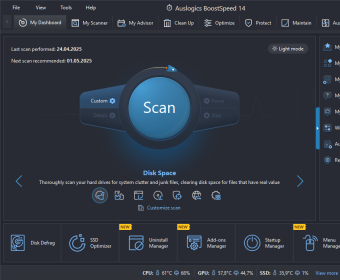


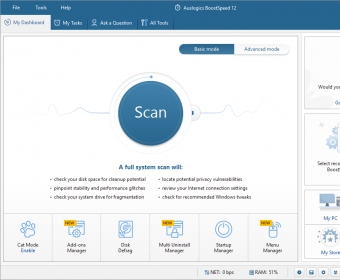
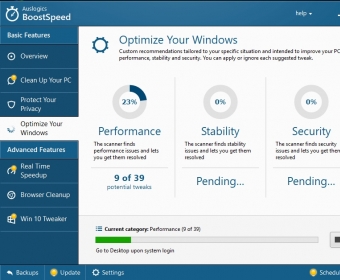
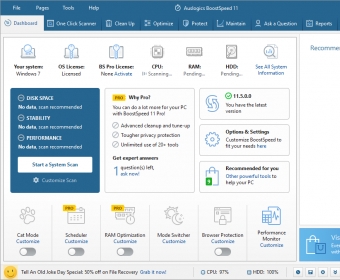

AusLogics BoostSpeed is a Windows utility designed to help you boost up the performance of your system by reclaiming disk space, fixing registry issues or resolving various performance problems. This program also enables you to protect your privacy by getting rid of tracking cookies, login information or other personal info that's being stored in your default web browser.
After you complete the scanning process, you will have access to a summary regarding the current state of your system. You can fix the displayed errors one by one or resolve them all at the same time. The utility provides you with detailed instructions so you know exactly what it's going to happen once you click the "Fix" buttons.
Other useful advantages include the fact that the tool comes with a customizable interface, it supports automatic maintenance and the access to various optimization options.
However, in my testing, the program didn't work too well. For starters, it took a while to complete the scanning process. Furthermore, I wasn't able to test many of the built-in tools because I was using the trial version of the tool. Another aspect you need to consider is that you can find cheaper solutions for optimizing the performance of your PC and protecting your privacy.
So, it's up to you to decide if it's worth giving this utility a try or not.
Pros
- Comes with various optimization options
- Customizable interface
- Supports automatic maintenance
Cons
- Doesn't support the latest web browser versions
- It might take a while to complete the scanning process
- You can find cheaper solutions
- Some of its features can't be tested while using the trial version of the tool
Details
Extensions

No information available
The data will be available later.Awards

Related software

Provides you the most powerful junk cleaning and privacy protection.
Scan junk files and delete these junk files in windows system.

Keep your Windows registry clean and get rid of all unnecessary files.
Related stories
See all
Running CHKDSK is crucial for Windows system health. It repairs errors, identifies bad sectors, optimizes storage, and ensures data integrity. Learn how to run it effectively.
Upgrade from Windows 10 as support ends soon. Windows 11 is streamlined and easy to install. Learn how to migrate and clean up your system without losing essential data.
So what are all those lines in the Task Manager? Learn about the essential processes like svchost.exe, winlogon.exe, and other mysterious items.



I bought it once, why should I buy it again?
Did I contact the support — yes, they helped, but only once. And than the problem of forcing to download the new version and pay for it appears in system every day. More